
Carousell: Sell and Buy
CarousellShopping
4.12.10K Reviews
- Version
- 2.442.8
- Installs
- 10.00M
- Age Rating
- Teen
Screenshots

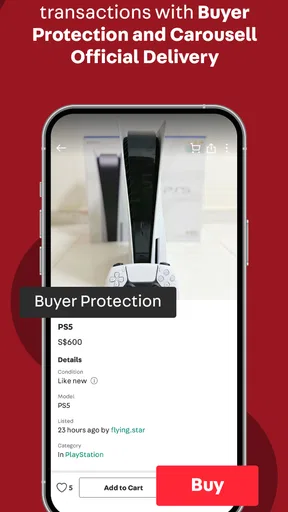
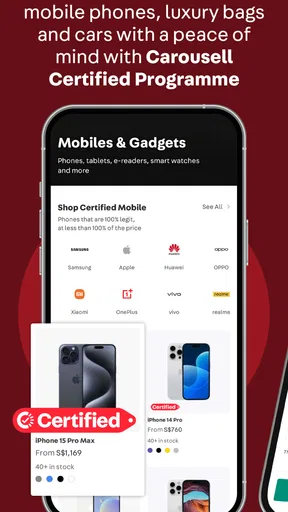
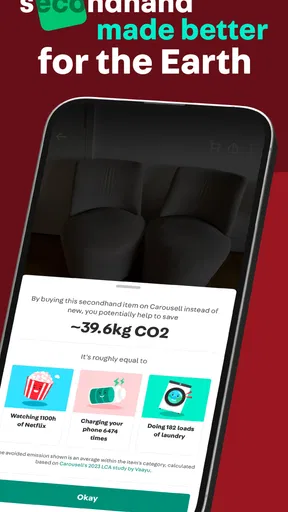
Our Review of Carousell: Sell and Buy
 Analysis by Appyee
In a shared home, a marketplace app can be useful for more than one person: one person might be clearing a cupboard, while another is looking for a replacement lamp or a second-hand jacket. I see Carousell: Sell and Buy as a convenient place to browse and manage those small household jobs, provided everyone agrees on who is posting, replying, and arranging a handover. That practical boundary matters as much as the listings themselves.
One household, clear account boundaries
Before using a marketplace together, I’d decide whether each adult wants a separate account or whether one person will handle a particular sale from start to finish. Shared access can blur who made a promise, accepted an offer, or arranged collection. Keeping ownership of each conversation clear avoids crossed messages and prevents two people from negotiating over the same item without realizing it.
For a family clear-out, I’d also sort belongings before photographing them. A pile of items can look like an easy batch of listings, but each one needs an accurate description, a sensible price, and someone ready to answer questions. Agreeing which things are actually for sale first is a simple way to avoid listing something another household member still uses.
Coordination is part of the transaction
Carousell’s in-app chat is useful when a buyer wants to ask about condition or discuss a price, but a household still needs a plan for the practical details. I’d keep the listing conversation with the person responsible for the item and confirm collection arrangements with everyone who needs to be involved. That is especially helpful when a buyer’s timing affects work, school, or access to a shared entrance.
A realistic example: if I were selling a spare desk, I’d photograph it in good light, note any scratches, and check its dimensions before posting. Then I’d agree with the other people at home on when someone can be present for collection. Clear details can reduce avoidable back-and-forth, while a firm plan helps prevent a buyer arriving when nobody is available.
Age, trust, and sensible expectations
The app is rated for Teen audiences, but that should not be treated as a substitute for family judgement or supervision. Buying and selling involves speaking with people you may not know, evaluating claims about second-hand goods, and making decisions about money and meetups. I’d encourage younger users to involve a trusted adult in those choices rather than treating a profile or review as proof that a transaction is risk-free.
For any user, I’d inspect an item carefully, ask focused questions, and be cautious about rushing because a listing sounds like a bargain. Reviews and profile details can help provide context, but they cannot guarantee an item’s condition or how a transaction will go. If a purchase is important or costly, taking time to check the details is more valuable than chasing a quick deal.
Carousell is a free shopping app from Carousell, with optional in-app purchases listed from $0.99 to $439.99 per item. It has an average rating of 4.1 from around 374,000 ratings, and more than 10 million installs. The current version is 2.442.8, it supports Android 8.0 and later, and its Teen content rating makes age context worth considering in a shared household.
Getting Started with Carousell
First things first, let's dive into the setup process. Downloading Carousell: Sell and Buy is a breeze, available on both Android and iOS. Once you’ve installed the app, signing up is straightforward. You can use your email, Facebook, or Google account. And just like that, you’re ready to dive into the world of buying and selling!
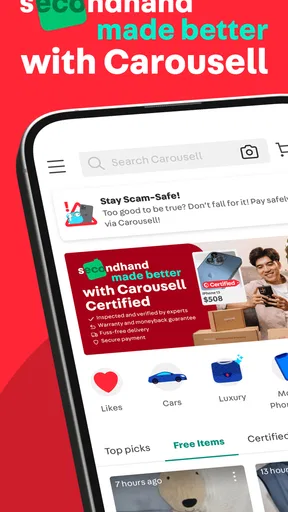
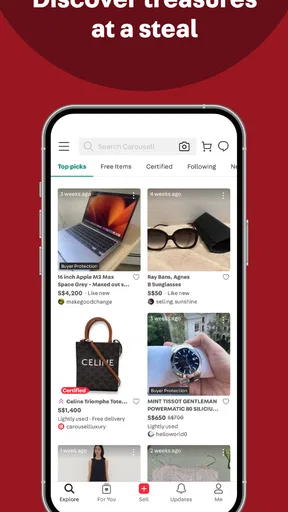
One of the things I immediately liked was the user-friendly interface. The app is intuitive, making it easy for even the least tech-savvy among us to navigate. The home screen greets you with a colorful array of listings, from electronics and fashion to cars and even property. It’s like having a virtual garage sale at your fingertips.
Selling Made Simple
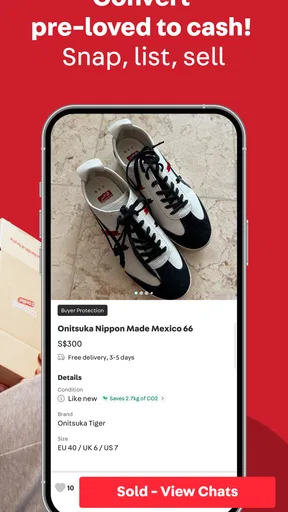
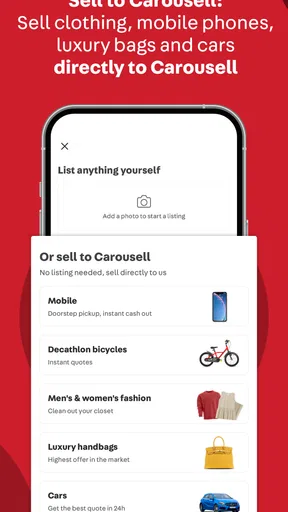
Now, let’s talk about selling. Have an item to list? It’s as easy as snapping a photo, adding a description, setting a price, and hitting post. The app guides you through each step, ensuring your listing is attractive and informative. You can even categorize your item to reach the right audience.
What I found particularly handy is the in-app chat feature. It allows potential buyers to reach out directly, making negotiations and inquiries seamless. No need to switch between different apps or platforms. Everything you need is right there, making transactions smooth and efficient.
Finding Great Deals
On the flip side, if you’re in the market to buy, Carousell: Sell and Buy doesn’t disappoint. The search function is robust. You can filter items by category, price range, and location to find exactly what you need. There’s even a wishlist feature, so you can keep track of items you’re interested in.
One thing I loved is the variety of items available. Whether you’re hunting for a second-hand guitar or a vintage dress, chances are you’ll find it here. Plus, the app’s community-driven nature means prices are often negotiable, allowing for some good old-fashioned haggling.
The Community and Safety
Carousell has a pretty vibrant community vibe. Users can follow each other, leave reviews, and build profiles. This social element adds a level of trust and transparency, making transactions feel more personal and secure.
Speaking of security, the app takes safety seriously. There are several measures in place to protect both buyers and sellers. Verified accounts, user reviews, and a feedback system all contribute to a safer trading environment. It’s comforting to know you’re dealing with real people with real reviews.
Why Choose Carousell?
So, why should you choose Carousell: Sell and Buy? Well, if you’re looking for a hassle-free way to declutter your home or find great deals, this app is a solid choice. The extensive categories and easy-to-use platform make buying and selling a breeze.
Plus, the community aspect is a nice touch. It adds a layer of interaction that other marketplaces might lack. You’re not just buying and selling; you’re connecting with people in your area, building a little marketplace community.
Final Thoughts
All in all, Carousell: Sell and Buy is a fantastic tool for anyone looking to dip their toes into the world of online marketplaces. Whether you’re a seasoned seller or a casual buyer, the app offers something for everyone. So why not give it a shot? You might just find exactly what you’re looking for—or at the very least, make some extra cash by selling those items gathering dust.
Ready to transform your buying and selling experience? Check out Carousell: Sell and Buy on your app store today, and join the thriving community of savvy traders!
Where it fits among marketplace apps
I’d use Carousell when I want one place to browse unrelated second-hand finds or list something without setting up a dedicated shop. That breadth is handy for a household clearing out clothes, electronics, and home items in the same stretch of time. A category-specific resale service may be a better fit when specialist checks, a tightly focused audience, or a more standardized buying process matters more than variety.
Compared with a local classifieds board, the profile and review elements give buyers and sellers more context to consider, and chat keeps questions alongside the listing. Still, that does not make a private transaction equivalent to a professionally managed sale. I’d treat Carousell as a way to discover and negotiate with other users, not as a guarantee that every item has been inspected or that every deal will be straightforward.
Small habits that make listings work harder
For sellers, I’d photograph the item from more than one useful angle and include the details a buyer would need to decide whether it suits their space or purpose. For furniture, that means checking dimensions before posting; for electronics, it means being precise about what is included and any visible wear. These steps help the right person assess the listing and can spare both sides a string of basic questions.
When browsing, I’d save an item to the wishlist rather than sending a message immediately if I’m still comparing options. I can then revisit a few candidates and ask each seller the same practical questions, such as condition or collection arrangements. That makes comparisons more meaningful than judging by the headline price alone, especially when two listings appear similar but differ in what they include.
Negotiation is useful, but I wouldn’t assume every seller welcomes a large reduction or that a low asking price is automatically the best value. A polite, specific question is more productive: explain what detail you need clarified, or make a considered offer that reflects the item’s condition. If the answer is unclear or the terms keep changing, I’d rather move on than let the convenience of chat pressure me into a decision.
When I would choose something else
This app is strongest for people who are comfortable judging listings, messaging sellers, and arranging the next step themselves. I’d skip it for a purchase where I need a uniform retail experience, a clearly defined professional return process, or a product whose condition must be assessed by a specialist. In those cases, a conventional retailer or a focused service with the safeguards I need is a more sensible choice.
It may also be a poor match if I only want to sell one inexpensive item and do not want to spend time photographing it, answering enquiries, or coordinating collection. Listing is simple in principle, but a successful sale still takes attention. Before posting, I’d ask whether the likely value is worth that effort; donating, recycling, or passing an item directly to someone nearby can be easier when it is not.
A practical household verdict
For a shared home, I’d recommend Carousell as a flexible tool rather than a family account or an automatic solution to decluttering. It works best when one person takes responsibility for each listing, other household members agree that the item can go, and everyone knows who will handle messages and collection. That division keeps the app useful without turning a straightforward sale into a household coordination problem.
Its appeal is the mix of broad browsing, direct conversation, and the chance to give unwanted belongings another use. Its trade-off is that the people using it must supply the care: write honest descriptions, check details, set boundaries around meetups, and avoid treating social signals as guarantees. With those expectations, I think it earns a place on the phone of a patient buyer or occasional seller; for a hands-off or highly protected transaction, I’d look elsewhere.
Verdict
Strengths of Carousell: Sell and Buy
- User-friendly interface, easy navigation.
- Wide variety of categories for items.
- In-app chat for seamless communication.
- Free to list items for sale.
- Strong community with active users.
Limitations of Carousell: Sell and Buy
- Limited payment options available.
- Some listings may not be genuine.
- Occasional spam messages in chat.
- Region-specific availability issues.
- No built-in shipping integration.
Similar Picks in This Category
View All
SHEIN-Shopping Online
Roadget Business PTE. LTD.4.8

Amazon Shopping
Amazon Mobile LLC4.4


Mercado Libre: Compras online
Mercado Libre4.8

Wish: Shop and Save
Wish US Holdings LLC4.7

Alibaba.com - B2B marketplace
Alibaba Mobile4.4
Frequently Asked Questions
What is Carousell, and how does it work?
Carousell is a popular online marketplace app that allows users to buy and sell new or pre-loved items locally. By creating a free account, users can easily upload photos, descriptions, and pricing for items they wish to sell. Buyers can browse through categories, negotiate prices, and arrange meetups or shipping options directly through the app.
Is Carousell safe to use for buying and selling items?
Carousell incorporates various safety features to protect its users, such as user reviews, ratings, and a secure messaging system. However, it’s vital to exercise caution by meeting in safe public places for transactions, checking seller ratings, and using secure payment methods to minimize risks associated with online marketplaces.
What types of items can I sell or buy on Carousell?
Carousell offers a wide range of categories for buying and selling, including electronics, fashion, home goods, vehicles, and even services. Users can list almost any item, provided it complies with Carousell's community guidelines, which prohibit illegal items and ensure a safe and friendly marketplace environment.
Are there any fees associated with using Carousell?
Creating an account and listing items on Carousell is free. However, the app offers optional paid features such as premium listings and advertising tools to enhance visibility. These features can help sellers reach a larger audience, but they are not necessary for basic buying and selling activities.
How can I optimize my listings to sell faster on Carousell?
To sell faster on Carousell, ensure your listings are detailed and include clear, high-quality images. Write concise and accurate descriptions and set competitive prices. Engaging with potential buyers promptly and being open to negotiations can also increase the likelihood of a successful sale.
